

The purpose of this article is to help you learn more about:
Integrate Zapier with your Leads module
Automate lead creation using Zapier actions
Streamline your lead management process with minimal manual effort
Overview
Integrating Zapier with your Leads module enables automated lead creation from various apps and services. Setting up a Zap lets you connect your preferred tools to automatically send lead data to your system, reducing manual work and improving response times.
Prerequisites
Before proceeding with the integration, ensure you have:
A Zapier account
A BookingKoala account with admin access.
How to Integrate Zapier with Leads Module
Create a Zap for Lead Creation
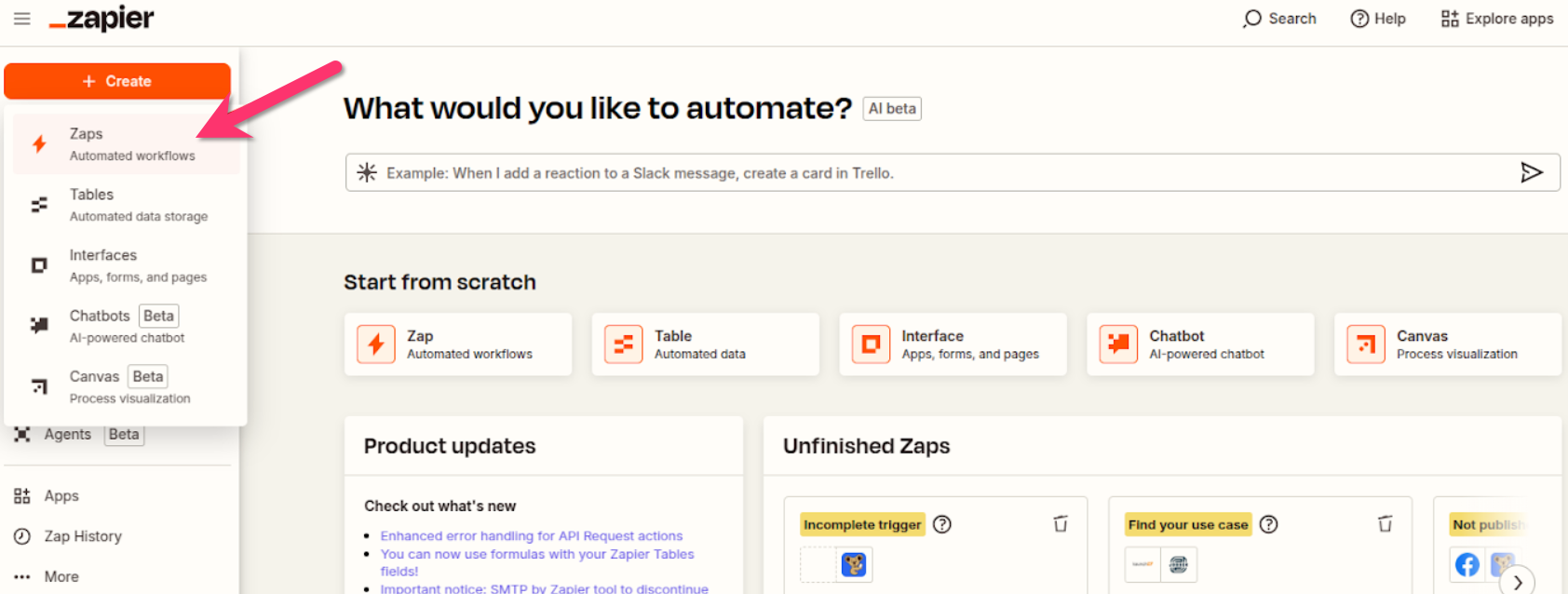
Click Make a Zap in Zapier.
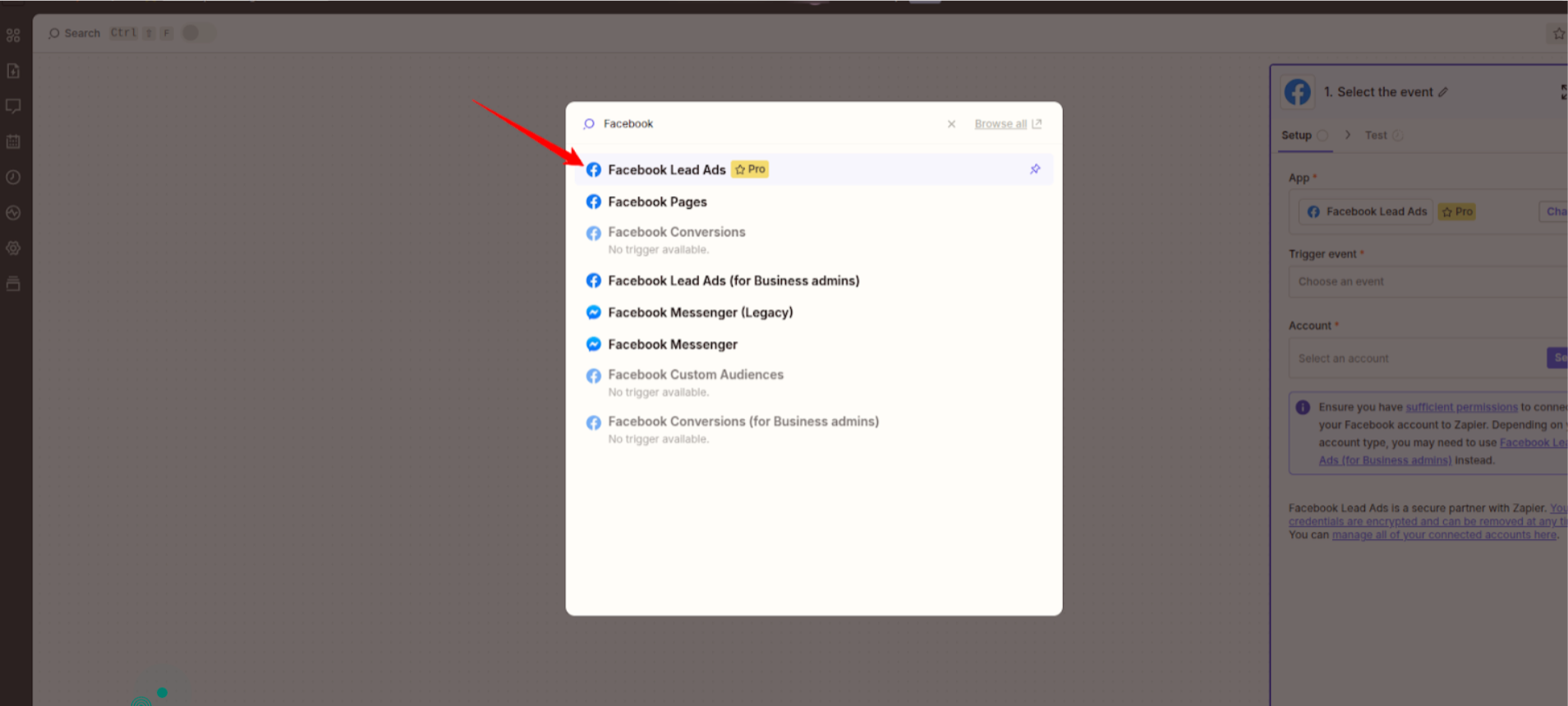
Choose a trigger app (e.g., Facebook Leads, Google Forms, etc.).
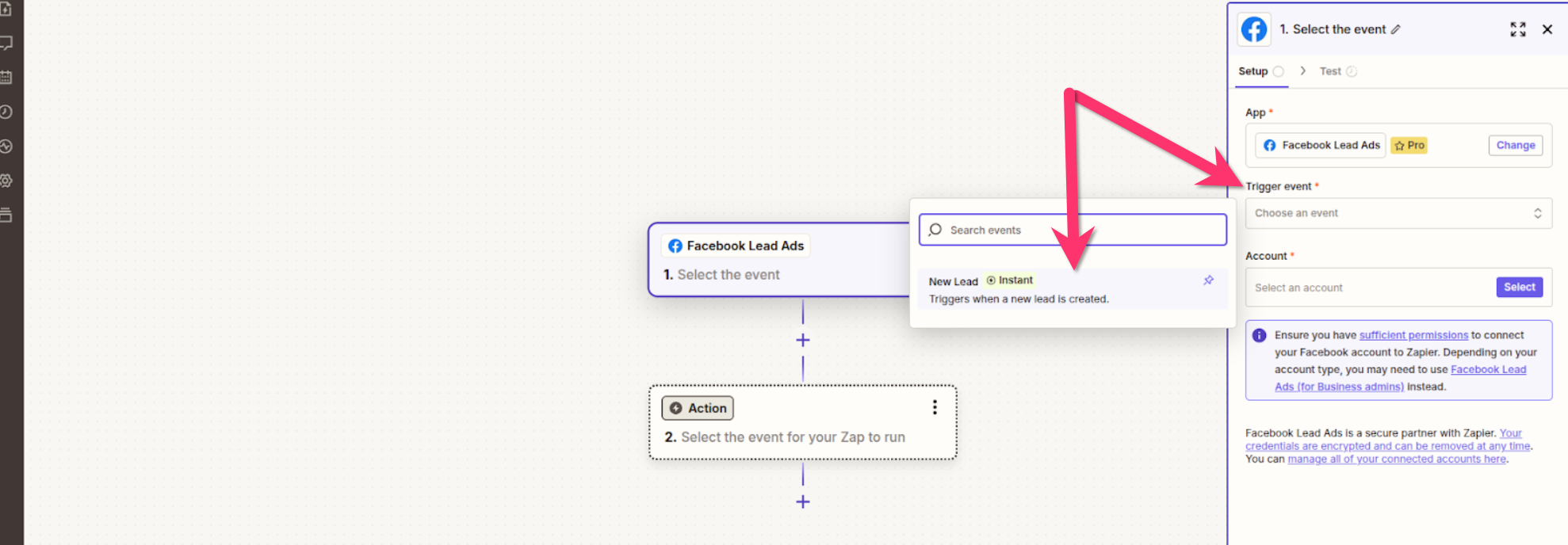
Select the trigger event (e.g., “New Lead”).
Click Continue and authenticate your trigger app.
Search for BookingKoala as the action app.
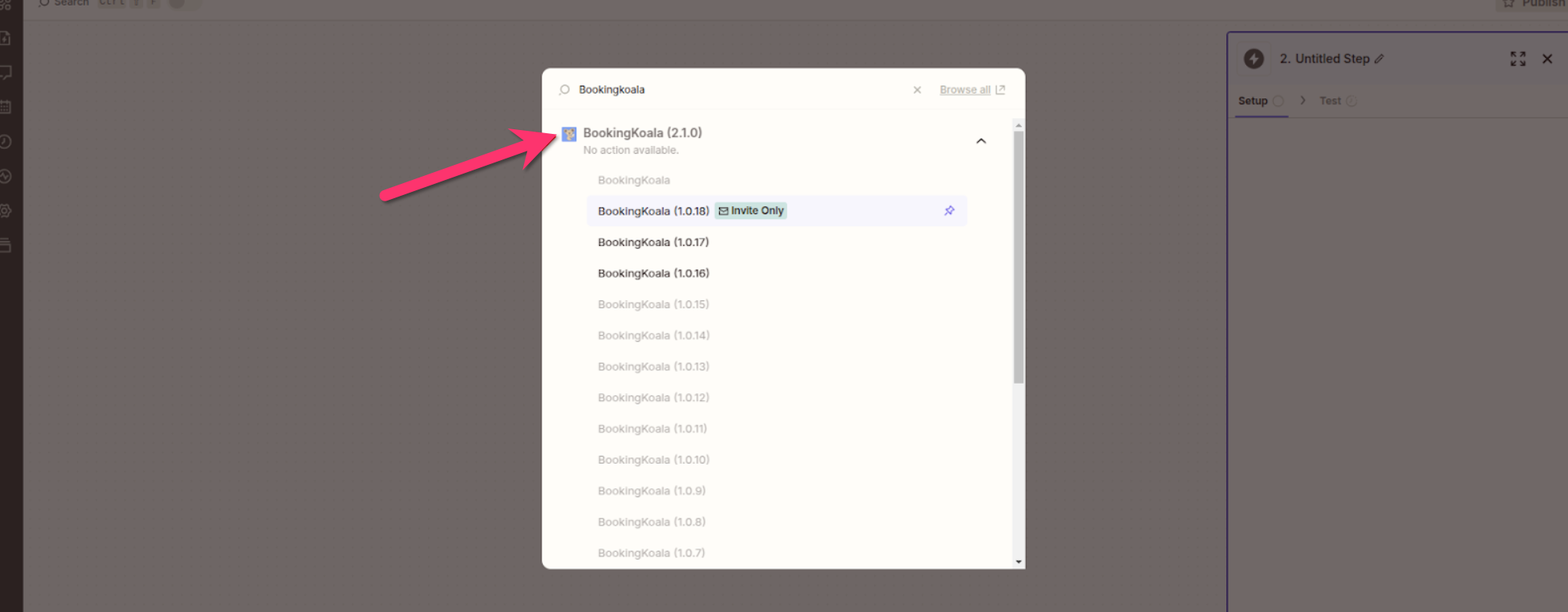
Choose Create Lead as the action event.
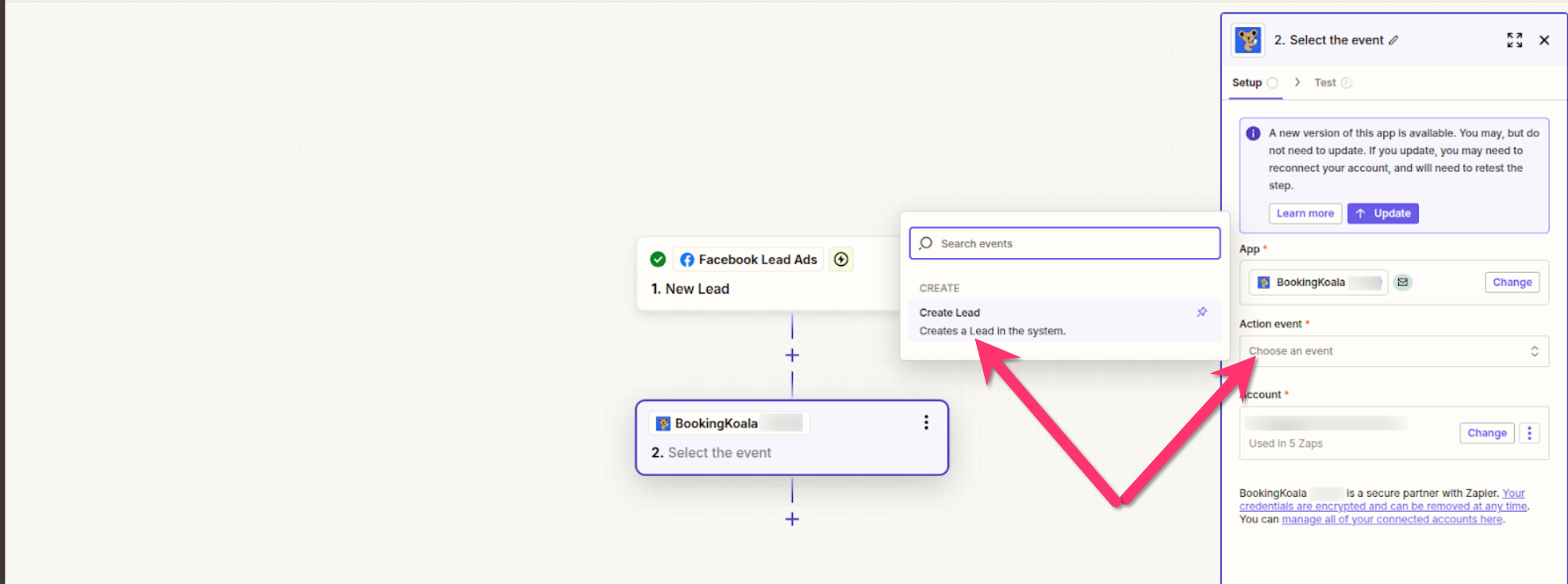
Connect your BookingKoala account to Zapier.
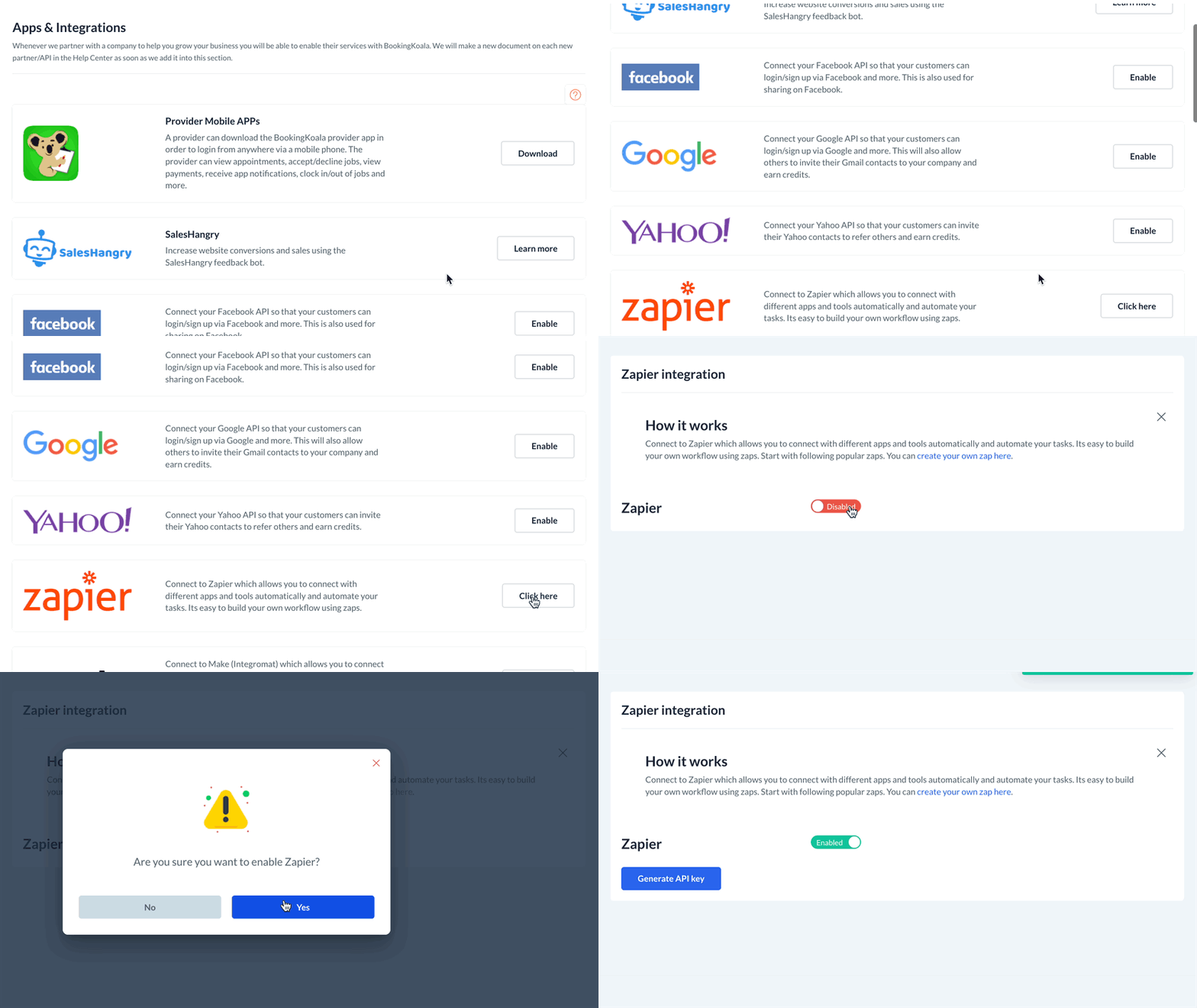
To connect your Zapier account to BookingKoala, go to: Settings > General > Apps & Integrations
Scroll down to the Zapier section and click the"Click Here" button.
Next, click on the red "Disabled" button to switch it to "Enabled". You will see a green system notification in the top right corner letting you know that the Zapier app has been enabled successfully.
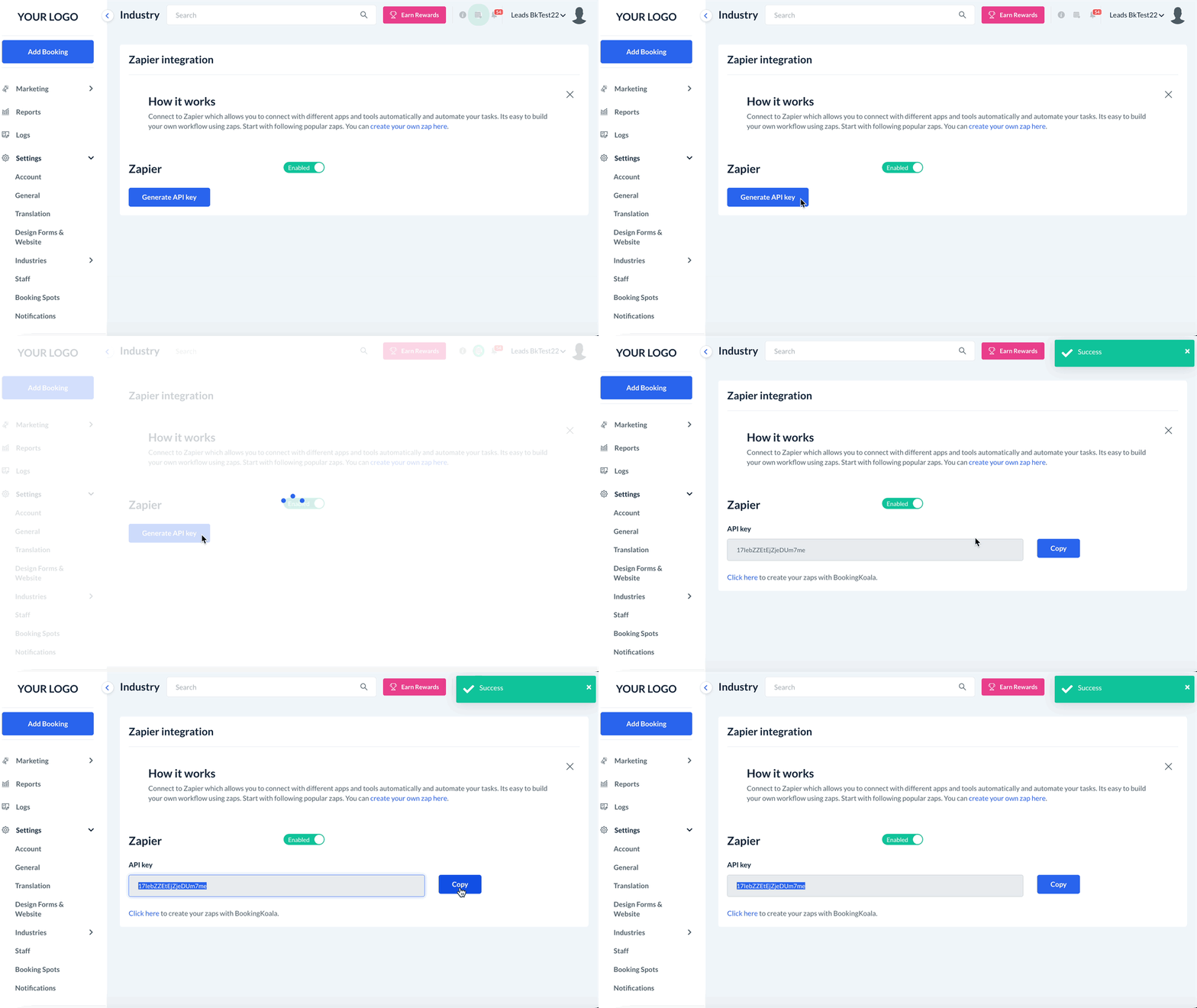
Next, click the blue "Generate API Key" button. This will create a unique key for you to connect your BookingKoala account with Zapier.
Once the API key has been generated, use the blue Copy button to copy the code.
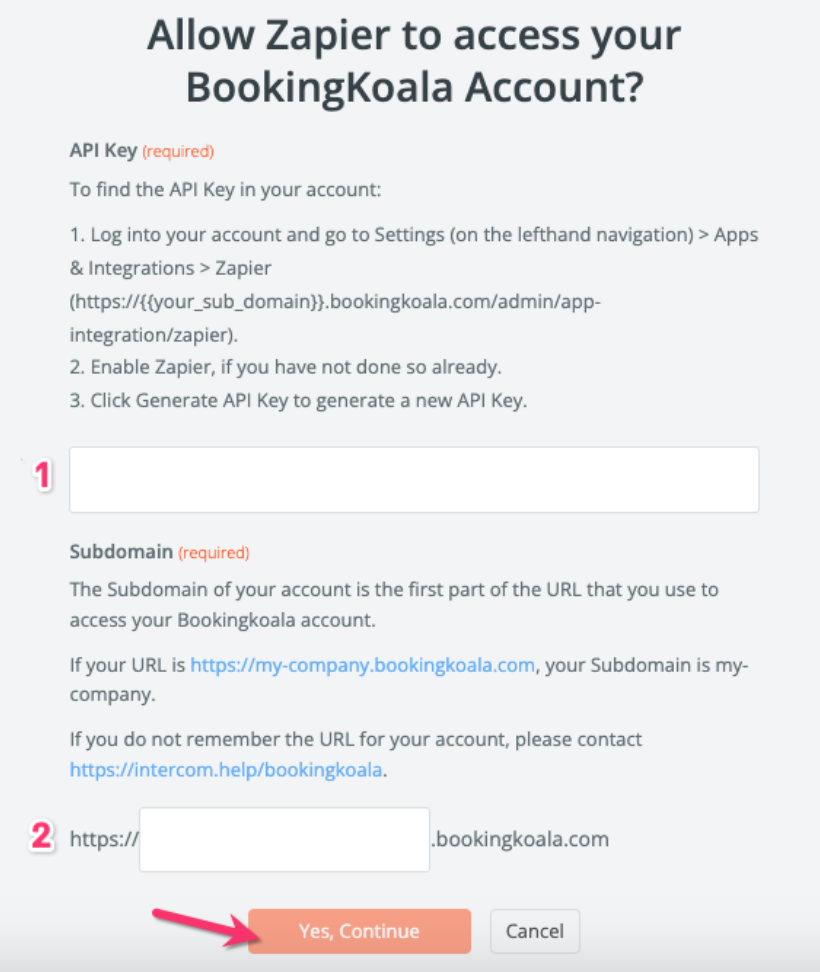
Then, under "Choose account", click the blue "Sign in to BookingKoala" button. This will open a pop-up window where you will link your accounts.
Enter the API key you copied from BookingKoala into the first box.
Enter your account's subdomain into the second box.
Map the required lead fields from the trigger app to BookingKoala.
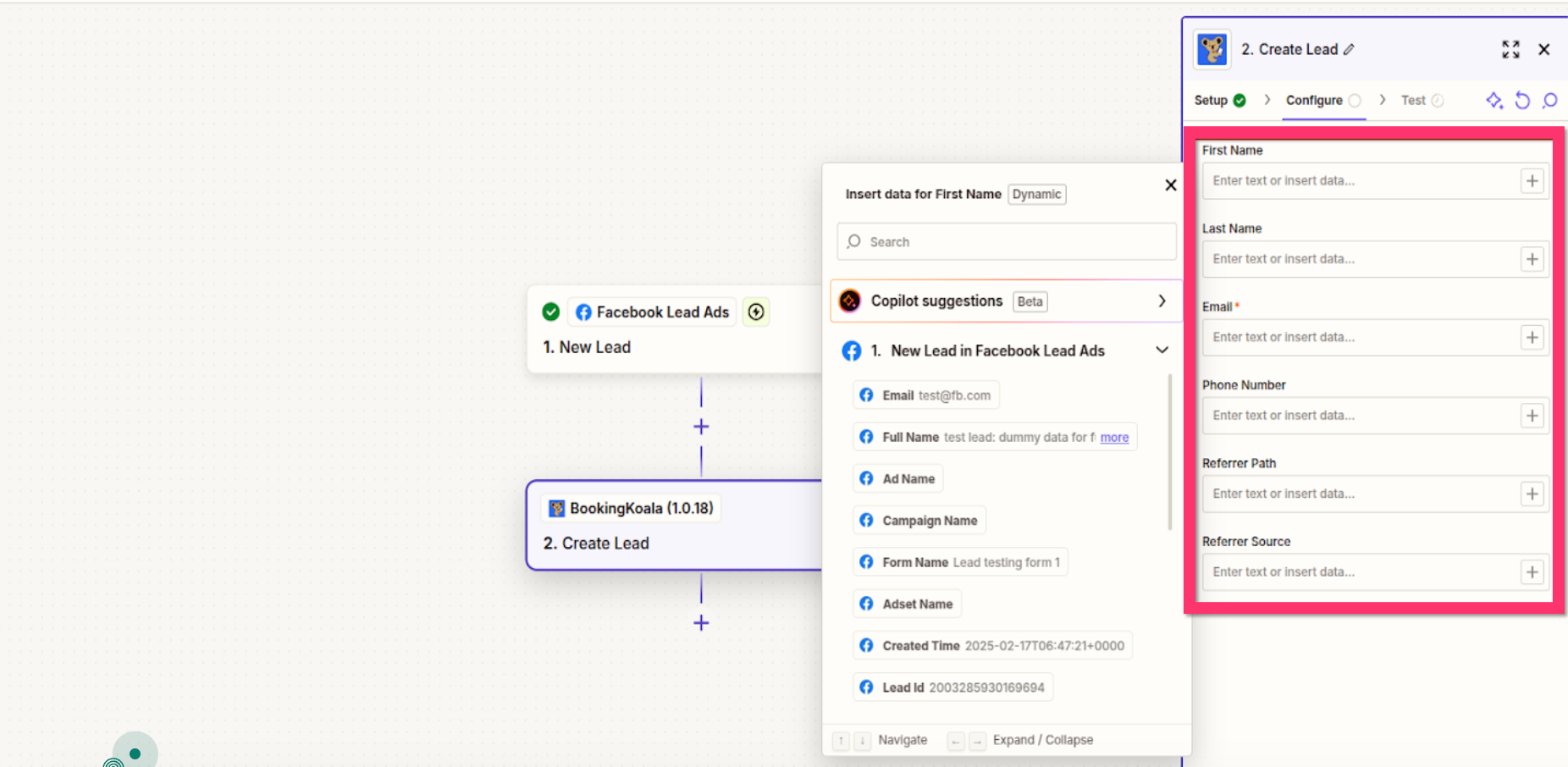
Click Test & Continue to ensure the integration works correctly.
Click Publish Zap to activate the automation.
Managing Your Zapier Integration
View Active Zaps: Manage and monitor your active Zaps from your Zapier dashboard.
Deactivate Zaps: To pause or stop a Zap, toggle it off or delete it within Zapier.
Details Synced from Zapier
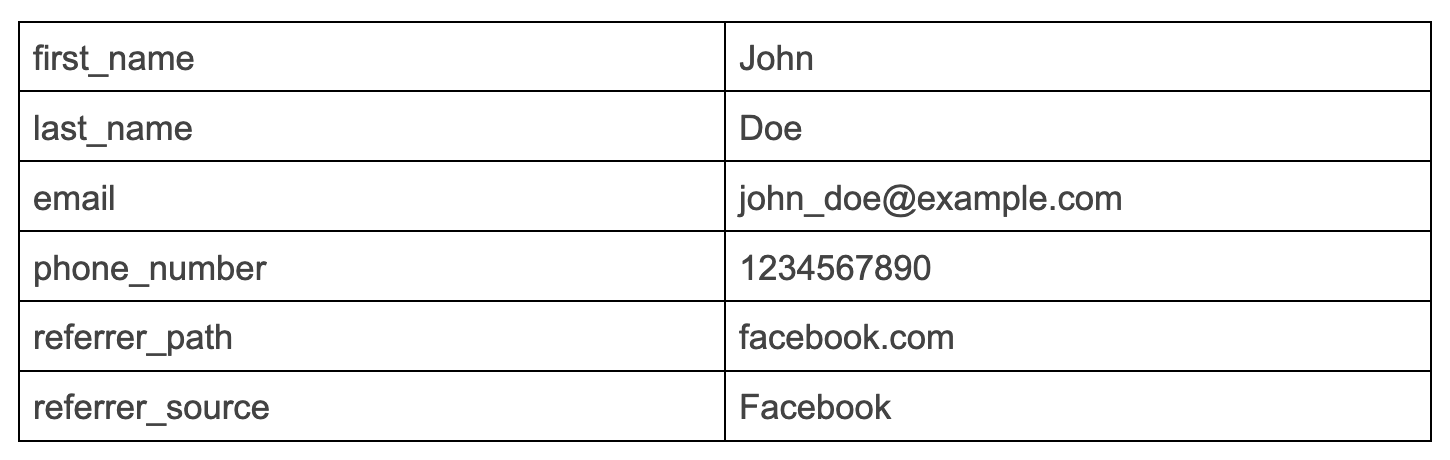
The following tables contain each detail that is synced from Zapier. The column on the right shows the detail's name and the column on the left shows an example.
Create Lead
By following these steps, you can seamlessly integrate Zapier with BookingKoala to automate lead creation, enhancing your operational efficiency and ensuring prompt engagement with new prospects.