

In this article, you will learn how to:
Manually add leads from your listing pages
Adding Leads from the Listing Pages
The new Leads Module allows for the addition of leads from the listing or "list view" pages in BookingKoala.
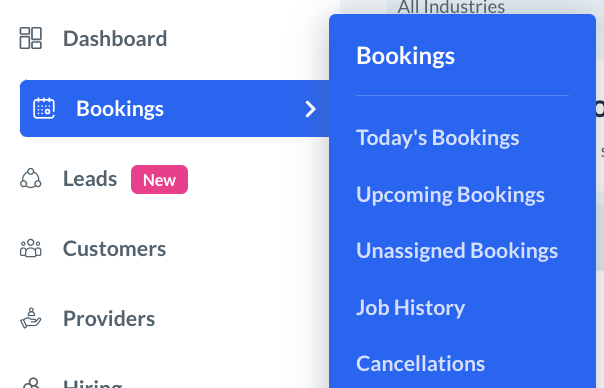
There are several places you can add a lead to your funnels. This includes:
Today's Bookings
Upcoming Bookings
Unassigned Bookings
Job History
Cancellations
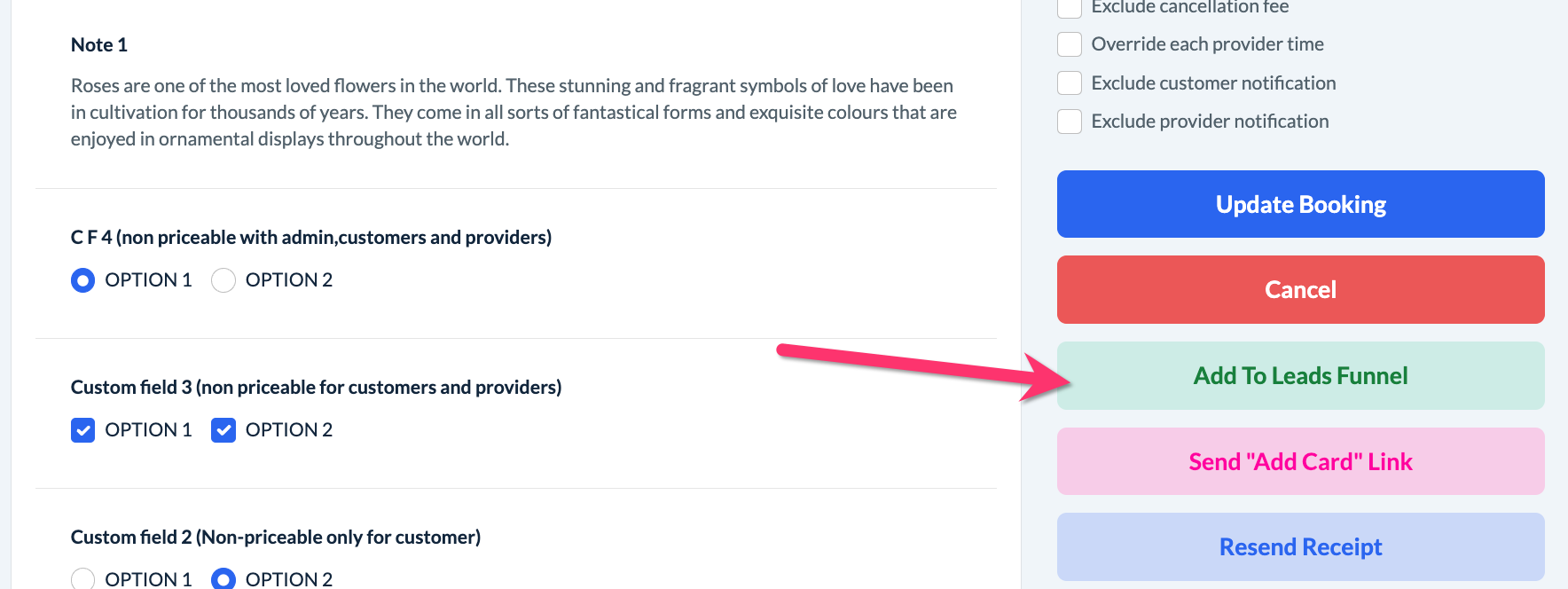
In addition to that, you can add a lead to a funnel from the Edit Booking page.
To begin, click to edit a specific booking, select "Bookings" from the left-side menu and then select one of the listing pages.
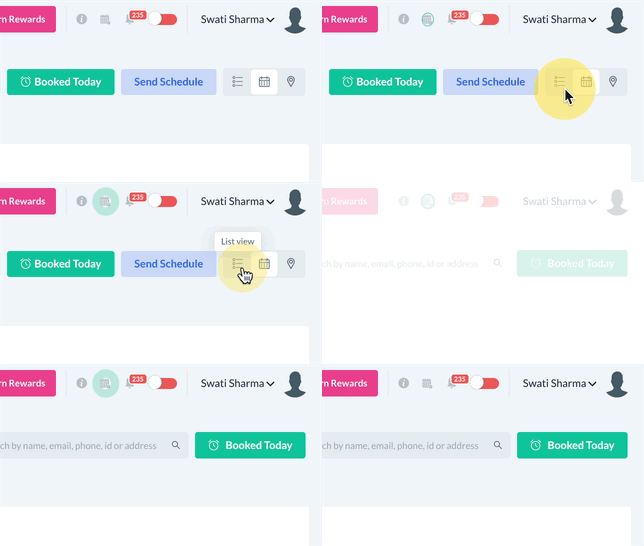
If your default view is calendar view, you can switch to list view by clicking the List View button at the top of the page.
Once you are in list view, look under the Actions column on the right side of the page and locate the Add to Leads Funnel icon. Once you click the icon, a "Choose Funnel(s)" pop-up will appear.
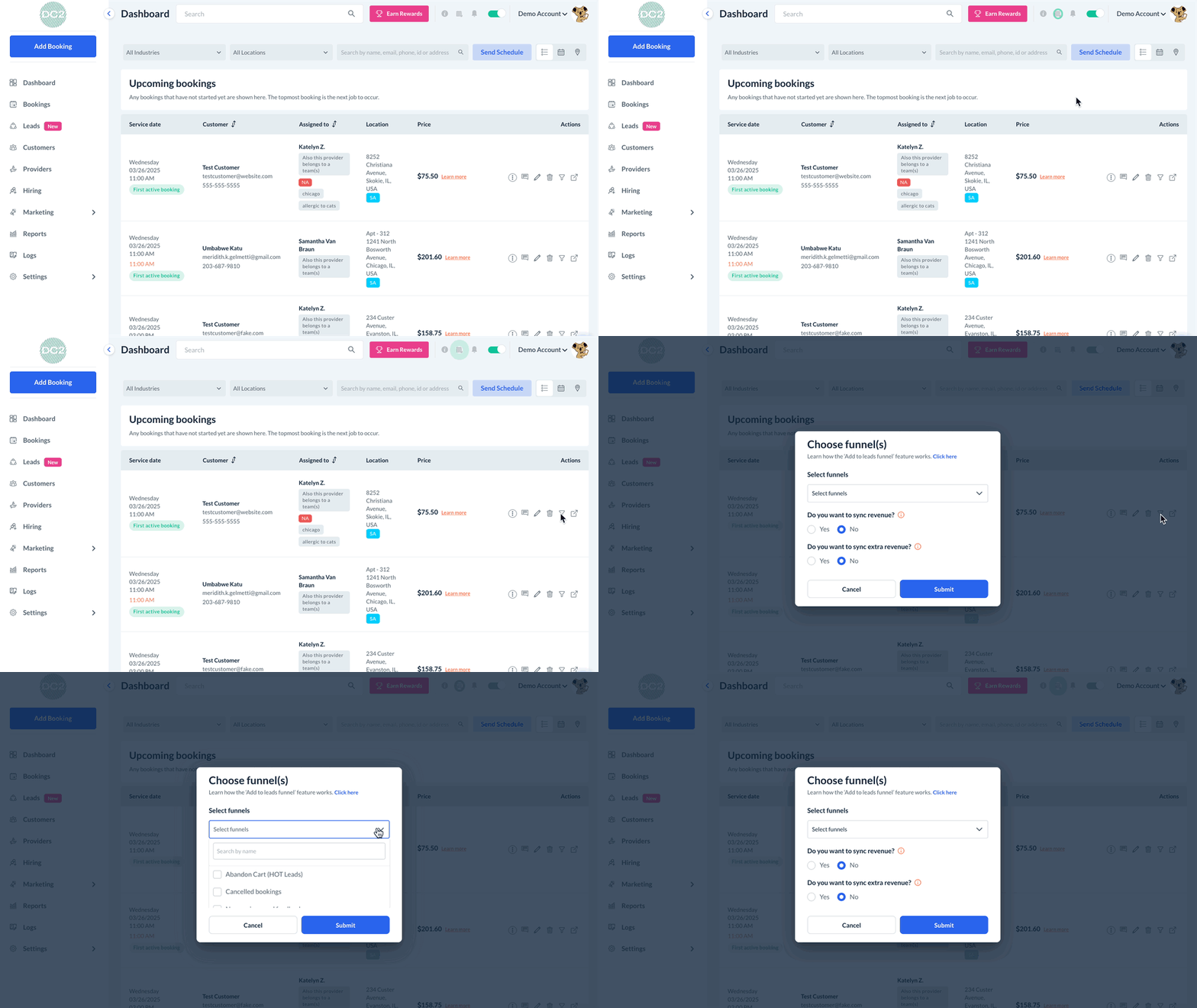
If the lead has already been added to one or more funnels, the names of those funnels will be displayed at the top of the pop-up.
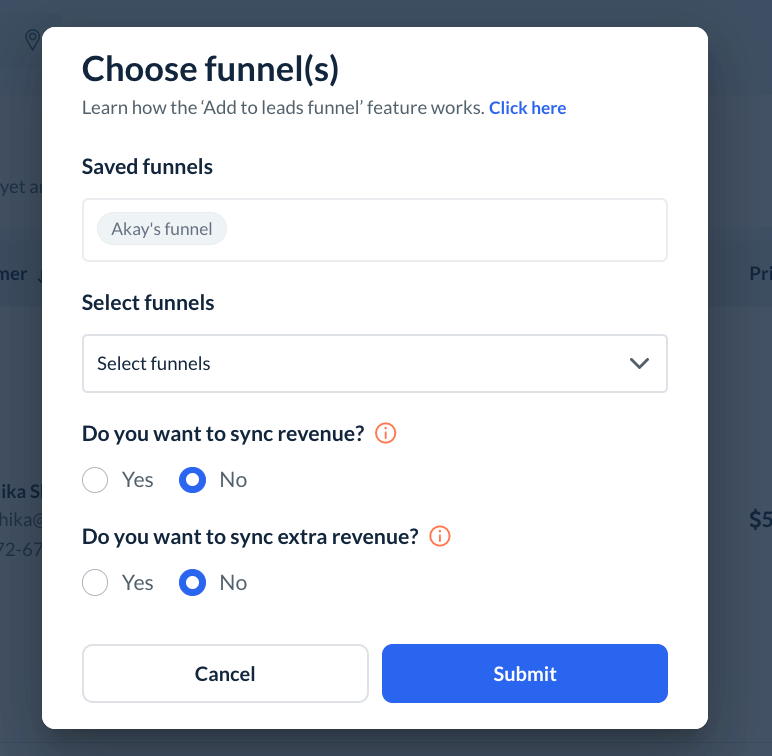
Click on the Select Funnels dropdown to add the lead to one or more funnels by checking the box next to the funnel name.
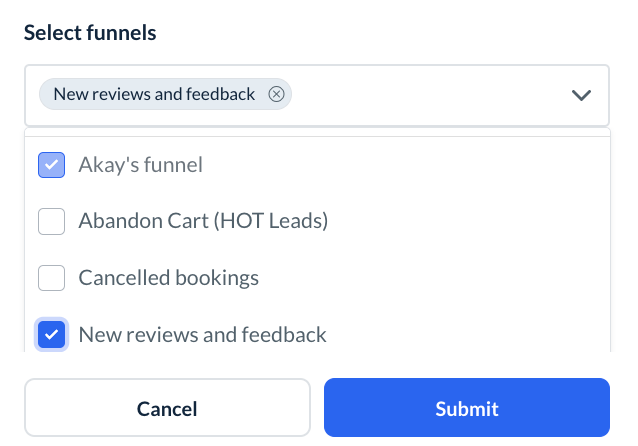
Once you've selected the funnel(s), there are two more questions for you to answer:
Do you want to sync revenue?
You can copy over booking revenue from here or add your own later. When syncing the revenue over to the leads module, the system will use the revenue that is attached to this booking and add it to the work progress inside the leads module.
Do you want to sync extra revenue?
Syncing extra revenue will add any cancellation or rescheduling fees, additional tips, or extra charges that belong to this booking. That extra revenue will show up under the work progress section for the lead.
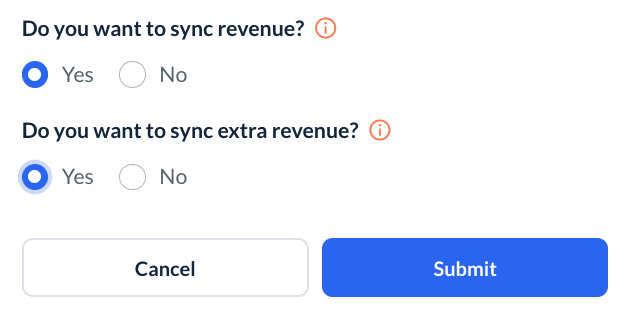
Once you've made your selections, click the "Submit" button. The lead will be added to the selected funnels.