
The purpose of this article is to help you understand:
How automatic funnels work in the leads module
How to set up other helpful funnels
Getting Started
Here are the best ways to use the leads module when collecting leads. These are examples of what you can do with them to make more money and run a better service.
Keep in mind that these are just some of the examples we know of. If you have any other examples you’d like to share with us, we can add them to our article.
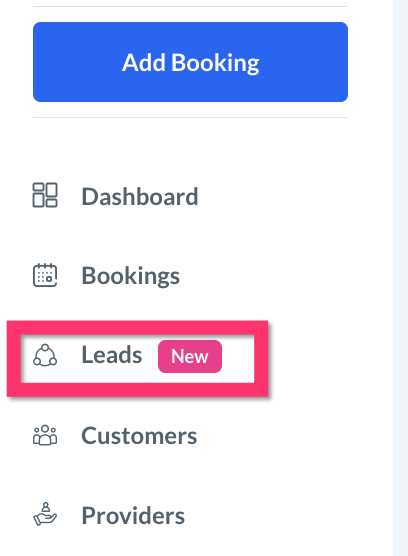
To begin, open the Leads Module by clicking on "Leads" from the left side menu.
To view your current funnels and add new ones, click the "Funnels" button at the top of the page.

To learn how to add a new funnel, click here.
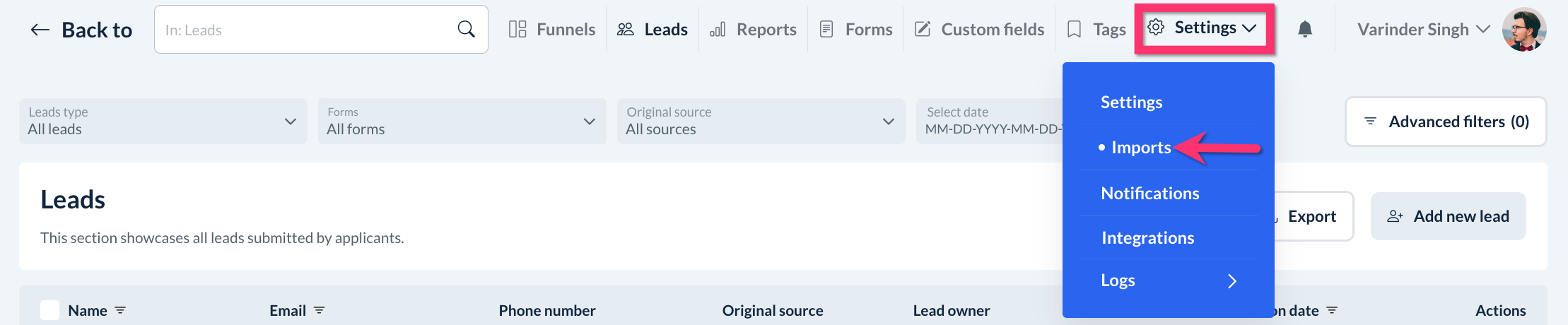
To pull leads from your BookingKoala account into a funnel, click on the Settings tab near the top right corner of the page and select Imports.
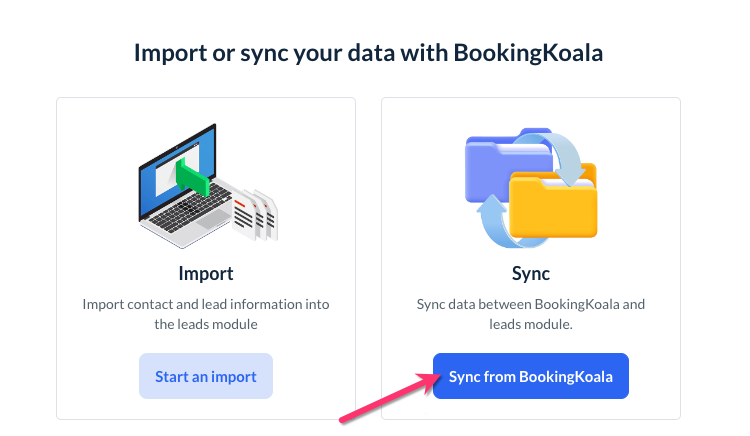
Next, click the blue Sync from BookingKoala button beneath where it says Sync.
To learn how to sync leads to your funnels or edit the existing funnel criteria, click here.
Preset Funnels
Six funnels have already been set up within your leads module. They are:
Abandoned Cart (HOT Leads)
Canceled Bookings
New Reviews and Feedback
One-Time to Recurring
Negative Reviews
Lead Form
Abandoned Cart (HOT Leads) Funnel
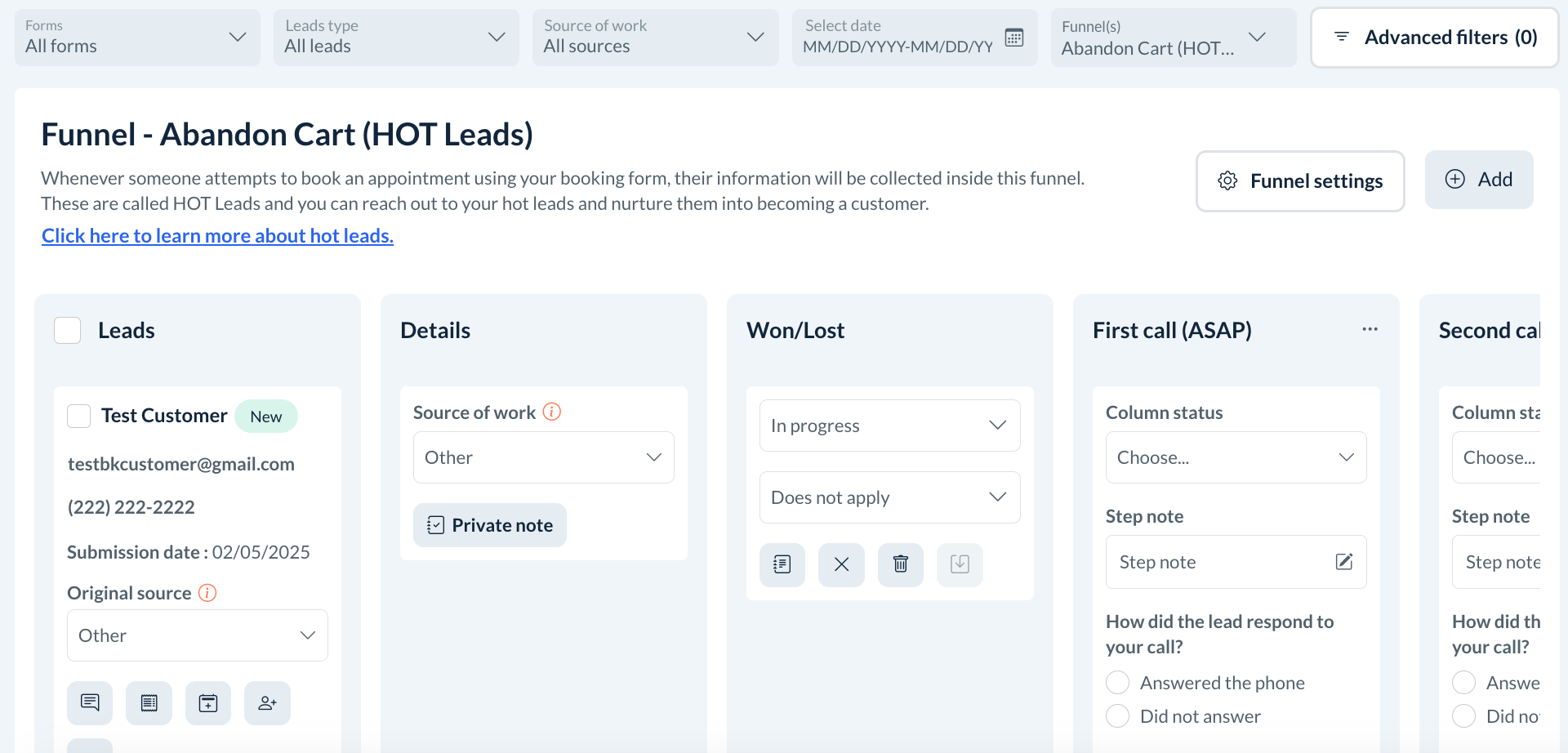
The Abandoned Cart (HOT Leads) funnel is set up to collect all leads that come through the booking form on the customer end and admin end. Once they are in the funnel, see if they book, mark them, or have them automatically marked as "Won". Then work with the ones that have not finished a booking. So, if you are doing a booking as an admin and it's not finished, it will automatically end up here. You can call the lead a couple of times to see if they want to complete the booking.
New Reviews and Feedback Funnel
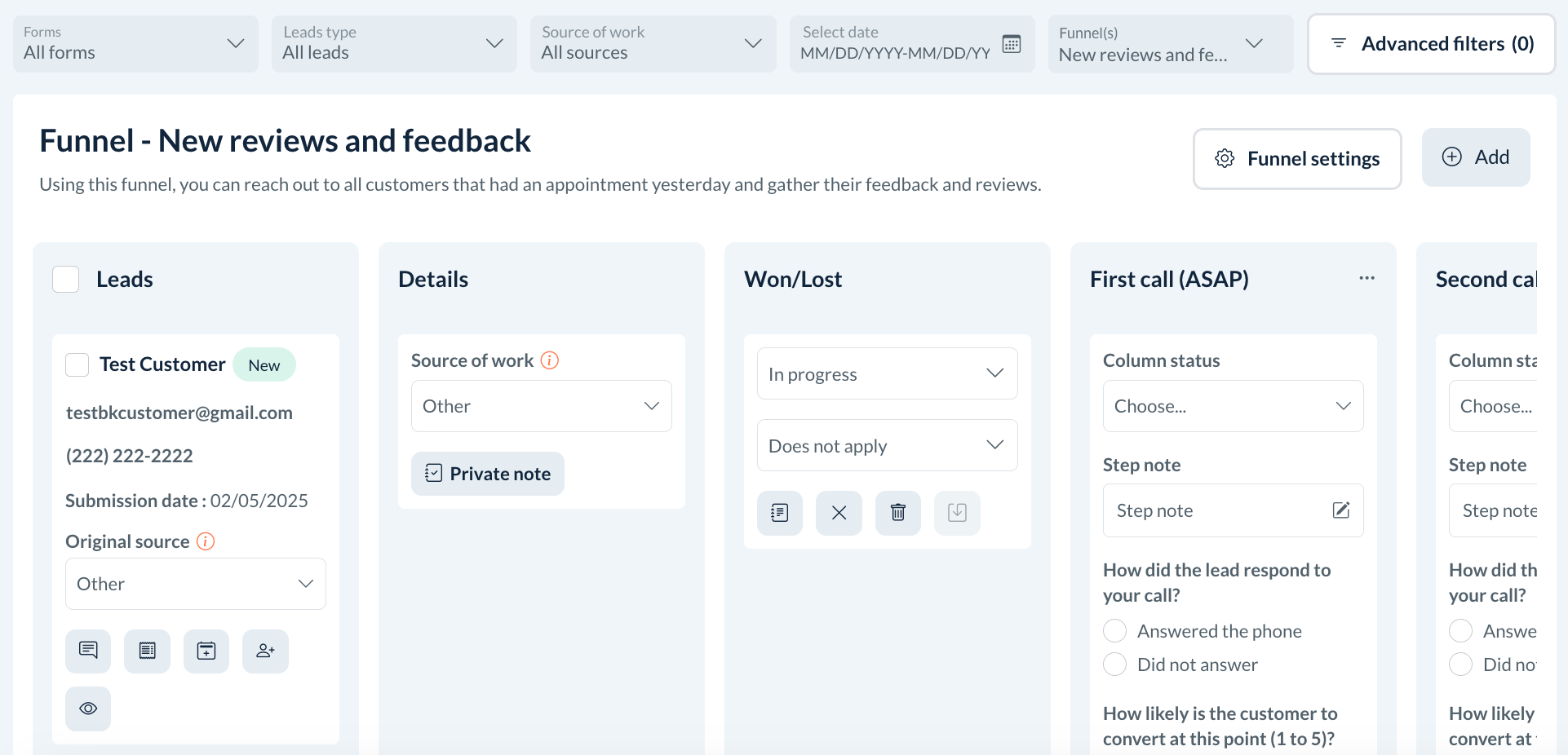
Next, we have the New Reviews and Feedback funnel. Automatically, the system is going to be checking the bookings that occurred yesterday and it will add them in according to the import leads criteria. You can follow up with leads in that funnel and try to get reviews from them. To learn a little more about how that works, we can go to the recurring sync for this funnel.
This funnel is based on a scheduled import that comes and checks the previous day every day at 4 AM and pulls bookings according to the booking status. In this case, bookings must be in the job history and any customers who have completed up to 2 bookings total in their job history.
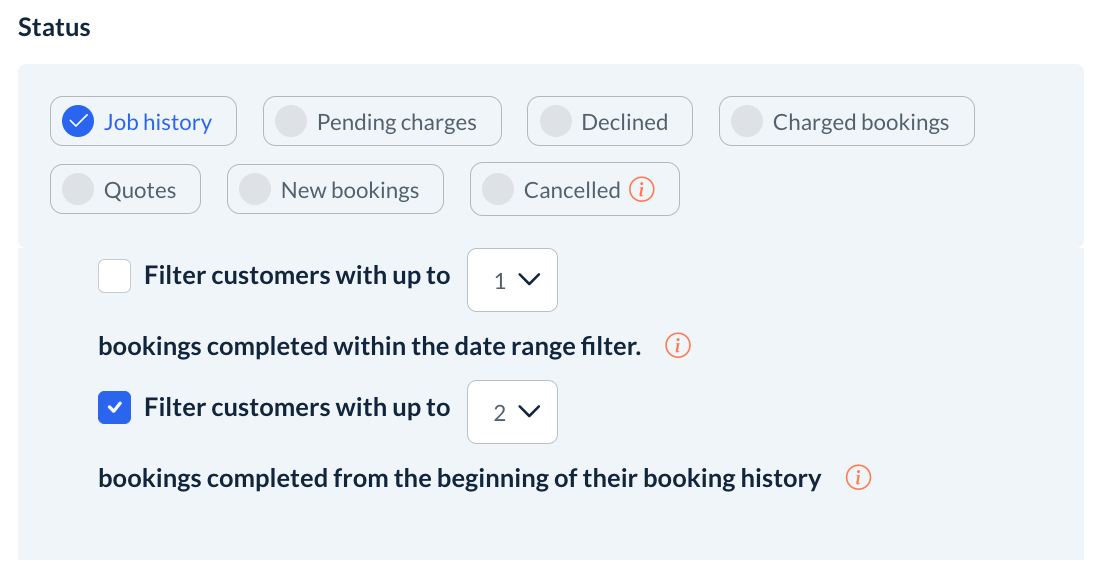
So if this is their first or second booking ever, they’ll be added to the funnel. however, if this is their third booking, they will not be imported as we can assume they already left a review or are not interested, and we want to cut out time. There are several different ways of setting this up, but this is the way we felt would be most successful.
If someone does end up in here, they are likely a new customer with one or two bookings, it’s unlikely they’ve left a review. So you can start calling them if you check the customer and do not see any reviews left thus far by clicking the View Customer button under the lead’s profile.
One-Time to Recurring Funnel
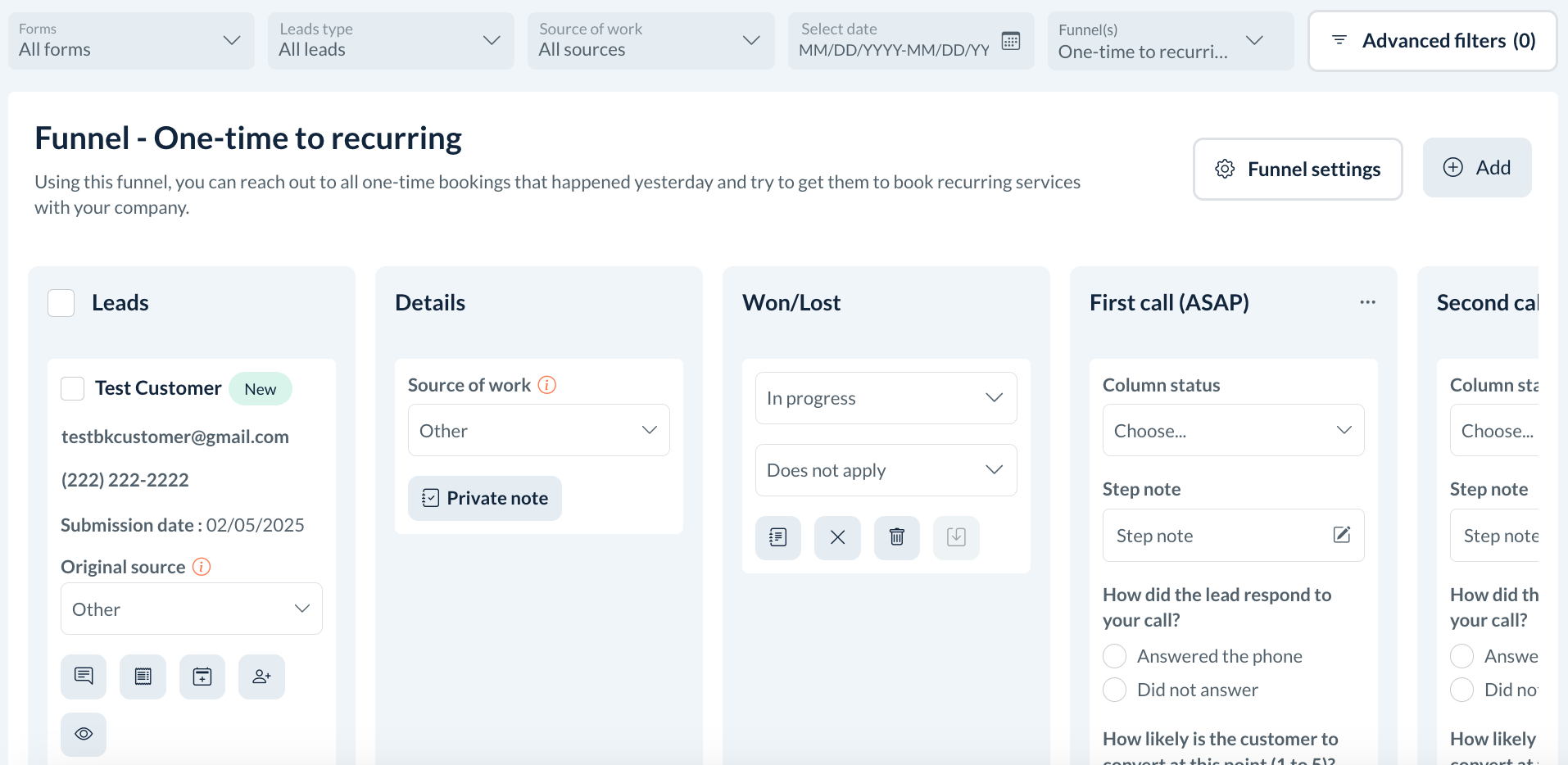
For the One-Time to Recurring funnel, the system checks for any one-time appointments from yesterday and imports them into this funnel. This is achieved by a recurring sync of all one-time bookings that occurred the day before.
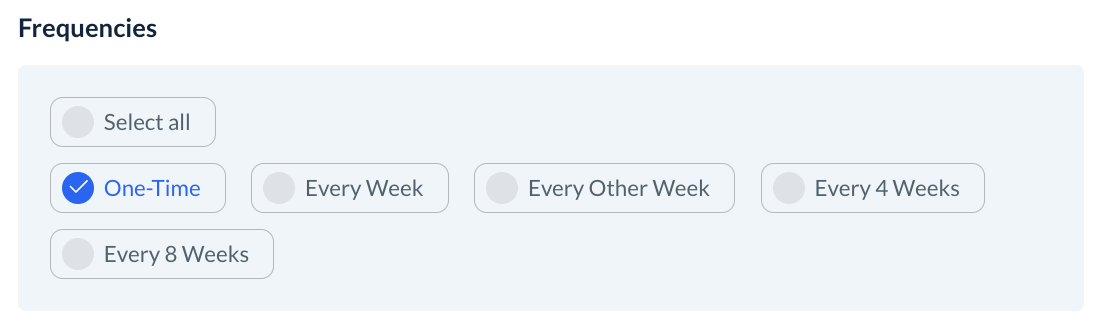
If you run a recurring type of business like home cleaning, this is beneficial because you can call the one-time clients and try to convince them to become a recurring client.
Canceled Bookings Funnel
For the Canceled Bookings funnel, can see the criteria for this under the imports section. The filter is for any canceled bookings from yesterday will end up in this funnel.
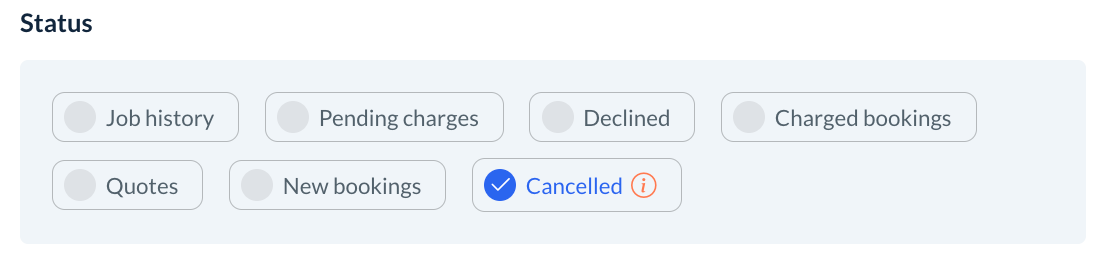
This will be for either one-time or recurring cancelations.
Negative Reviews Funnel
All negative internal reviews (ratings that are 3 stars or lower) will go inside this funnel.
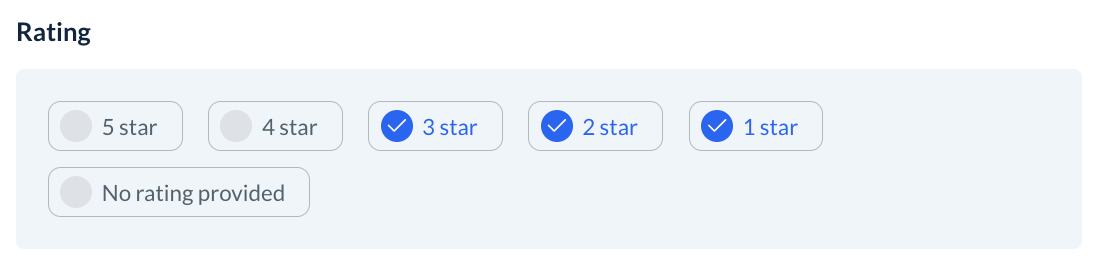
You can contact customers who had a bad experience and try to fix the situation.
Lead Form Funnel
We created a default Lead Form funnel for you. All leads from the default form will appear here so you can work on them conveniently.
To view and edit your default lead form, click on Forms from the top menu, then select Options under the Actions column and select Edit.
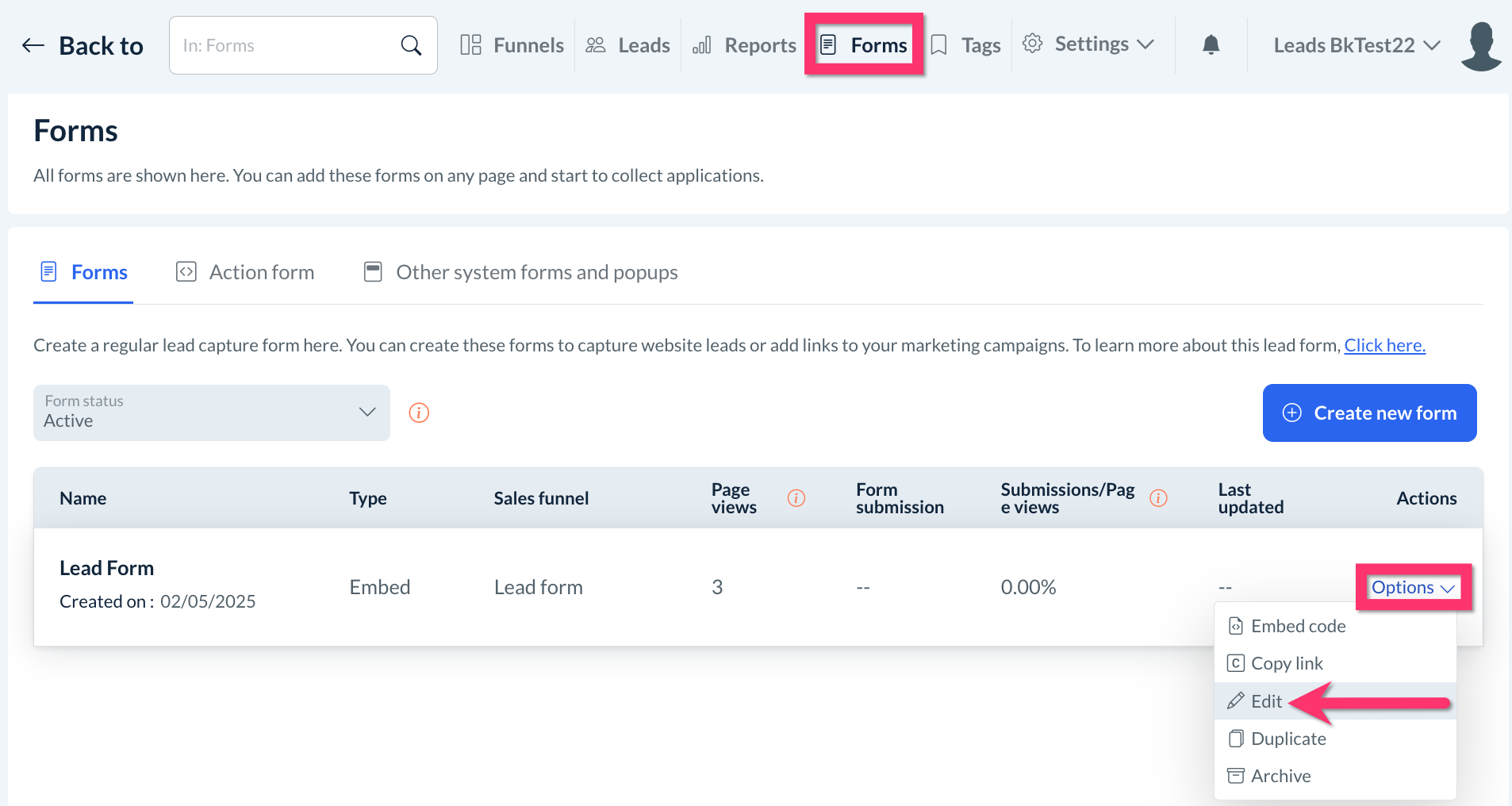
For more information on how to build a leads form, please click here.
Other Funnel Ideas
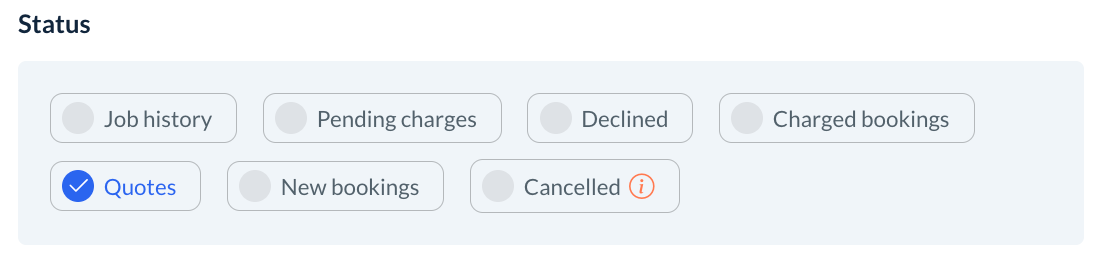
Customers Who Haven’t Booked Since Funnel
You can into the import sections or set up a quarterly import and set up a filter so customers who haven’t booked since a certain date range will be pulled into the funnel.
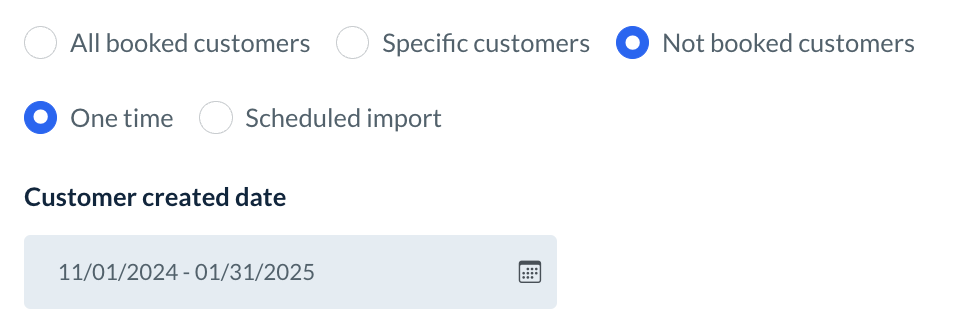
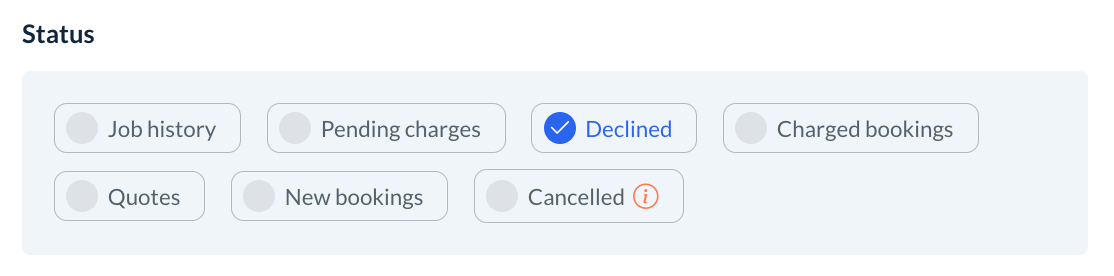
Declined Payments Funnel
You can check this every day as well. Any declined payments go into this funnel. You can call the customers to try and collect payment.
Quotes Funnel
If you have any quotes that have been sent out, you can make a quote funnel and then follow up with those.