
The purpose of this article is to help you understand:
Where to locate the customer dashboard pages in the website builder
How to edit the customer Notifications page
Getting Started
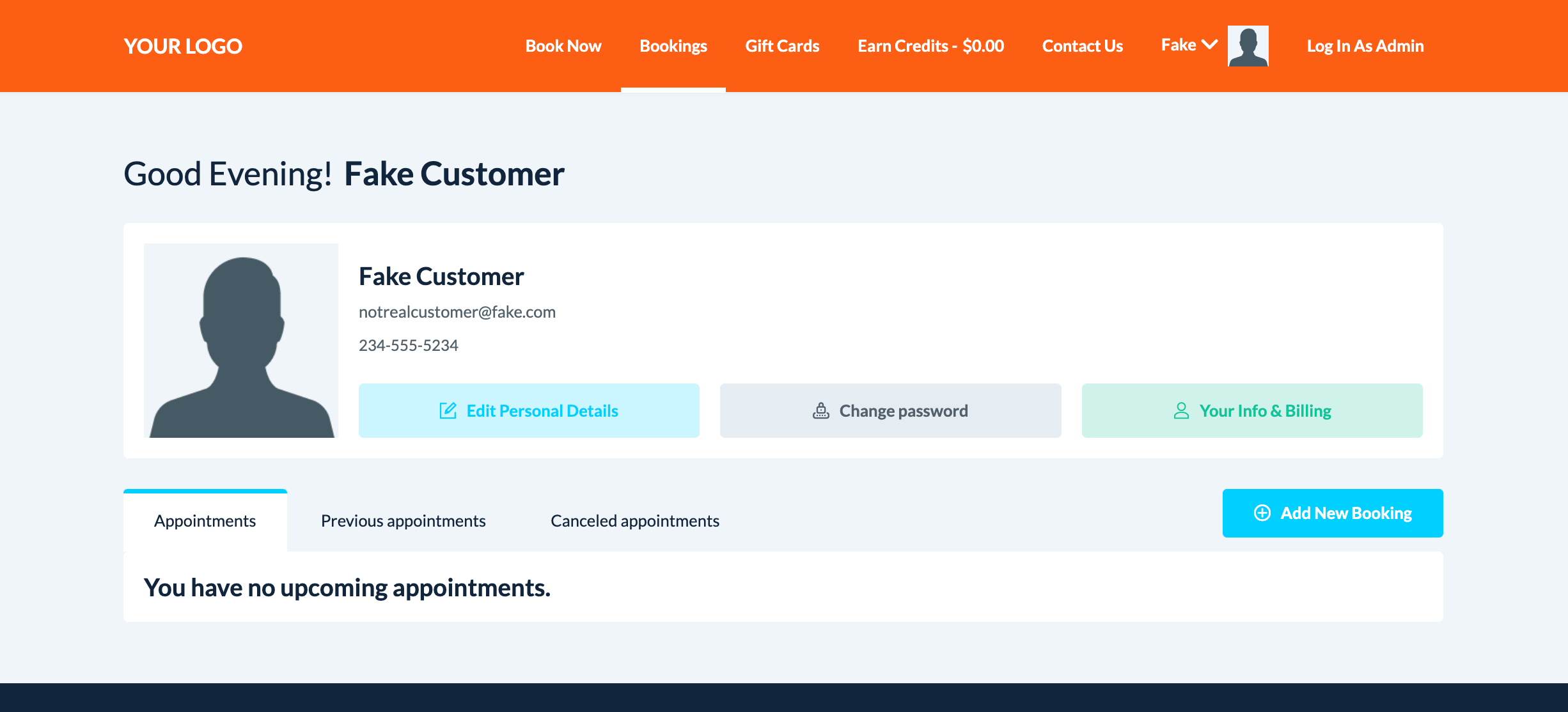
Whenever you book or create a customer profile in BookingKoala, that customer gains access to a customer dashboard on your website.
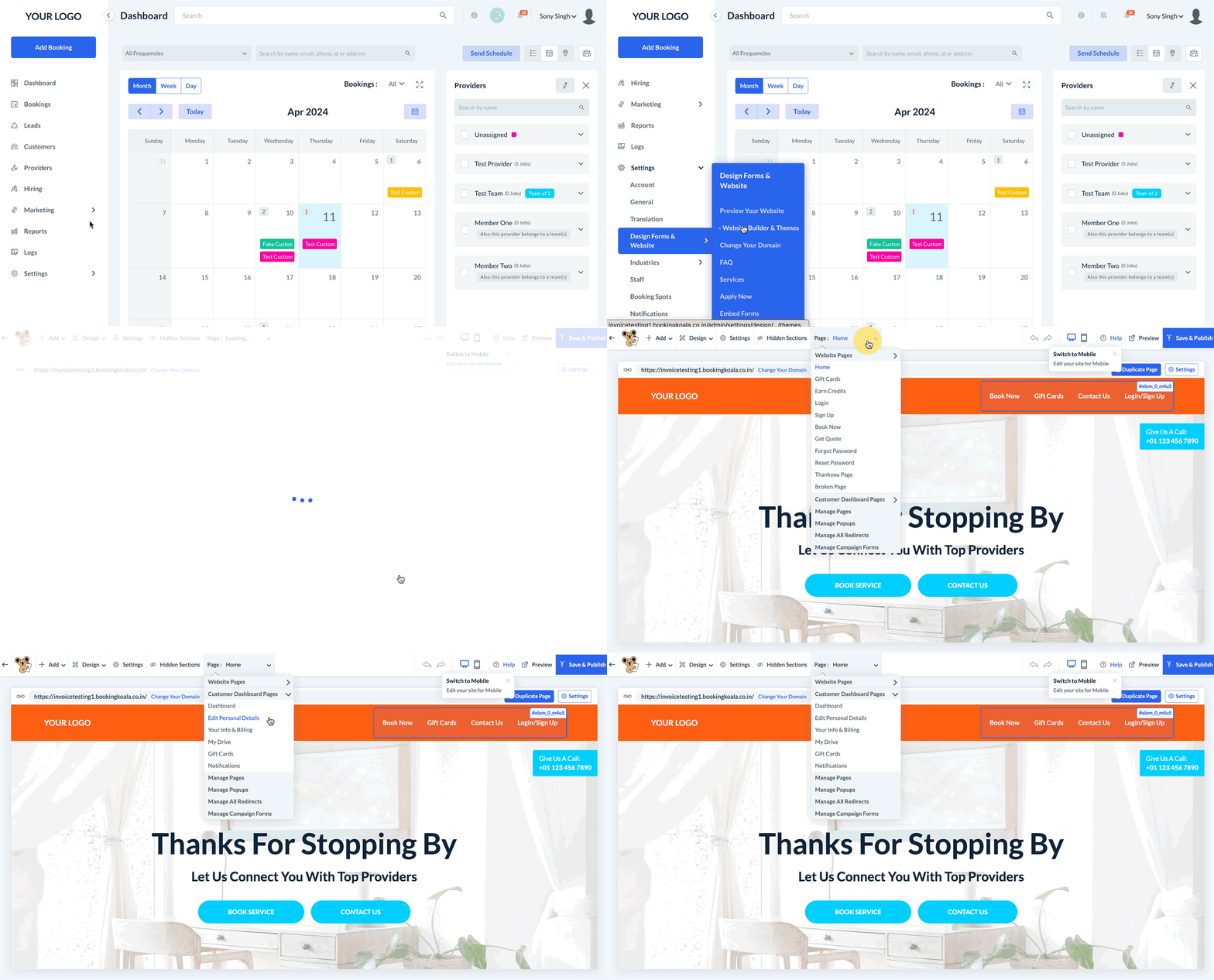
To modify the appearance and enable/disable some of the features used on these pages, you must access the BookingKoala Website & Theme Builder. To do so, please go to:
Settings > Design Forms & Website > Website Builder & Themes > Customize Theme
Edit the Customer Notifications Page
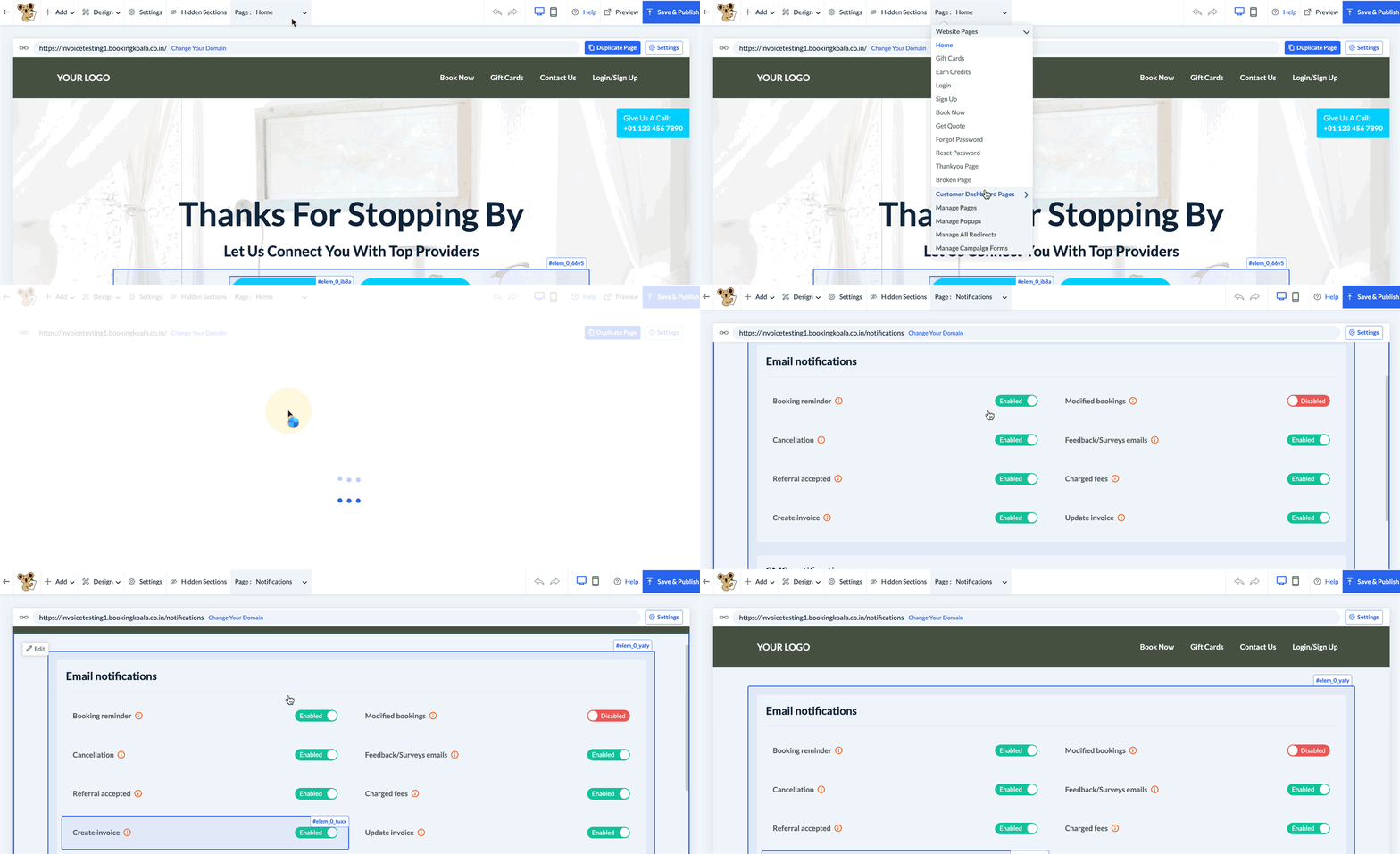
To edit the customer notifications page, click on the top center Pages menu, select Customer Dashboard Pages, and click on the Notifications page.
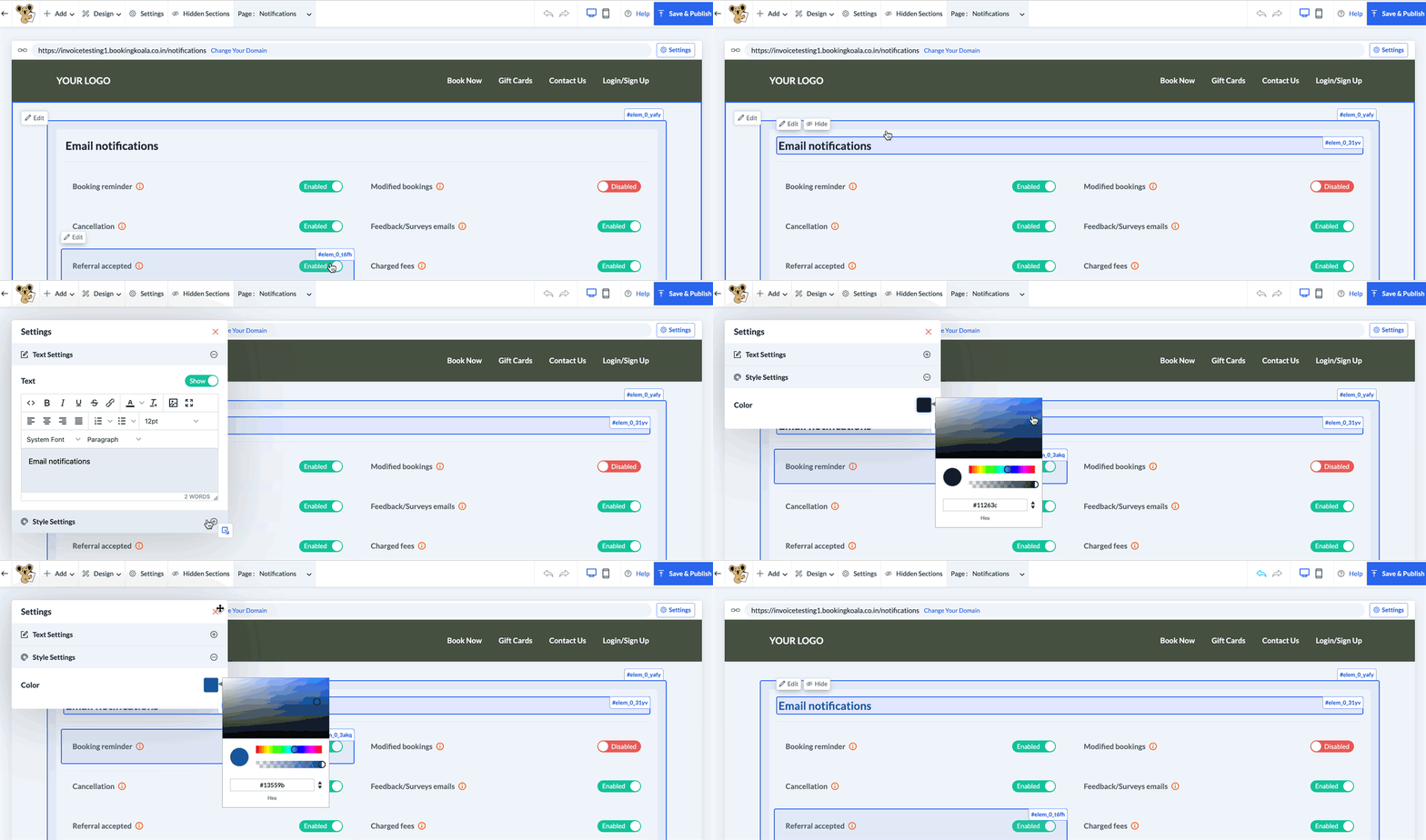
To edit the title of this section, click on Email Notifications or SMS Notifications to reveal the white Edit button.
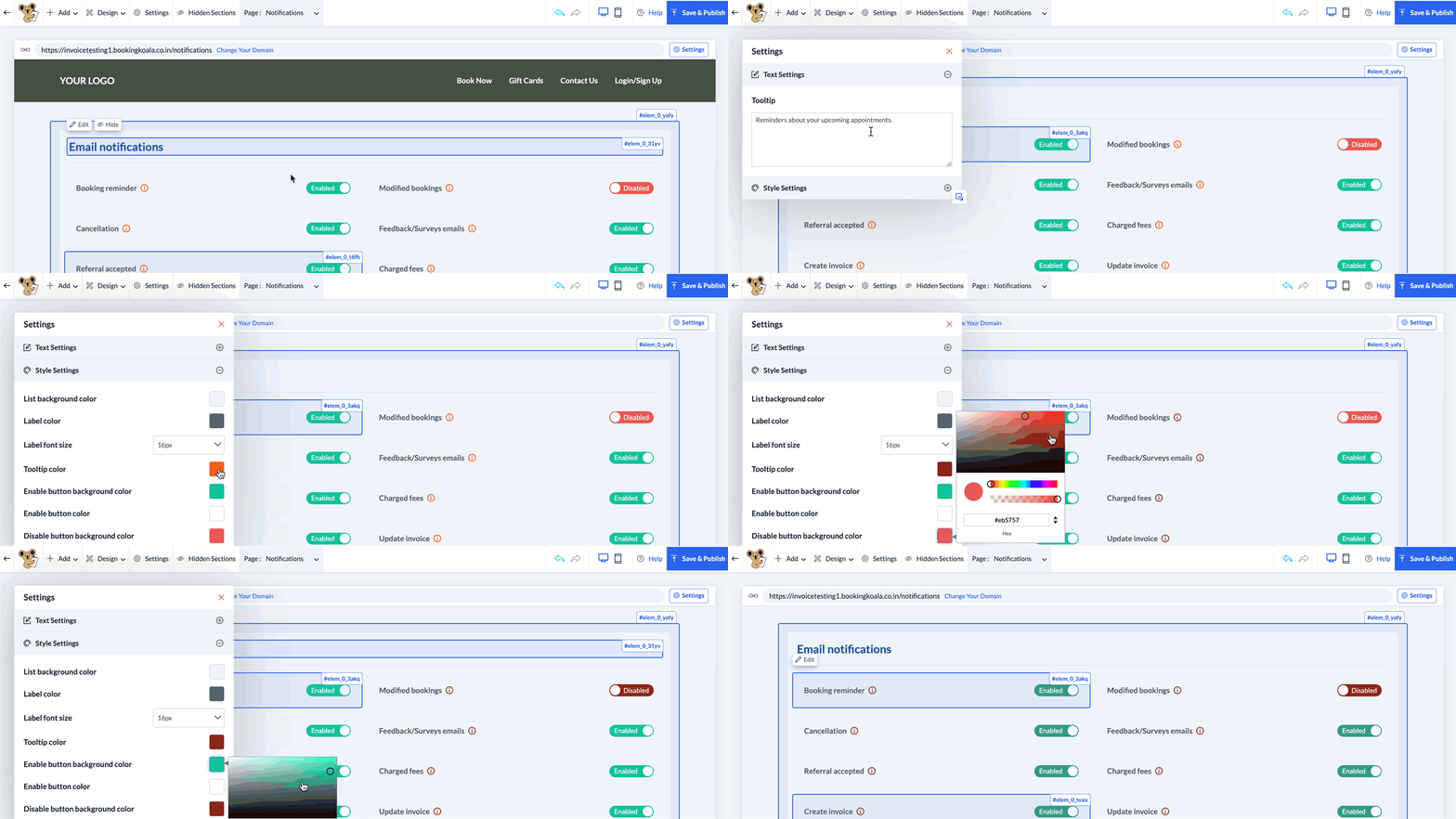
To edit the tooltips and enable/disable buttons for the notification types, click the notification name and select the white Edit button that appears in the top left corner.
Save & Publish
When you are finished making edits to your page, please be sure to click the "Save" button to save your changes to the backend, or "Save & Publish" to push your changes live to your site.