

The purpose of this article is to help you understand:
Where to locate the customer dashboard pages in the website builder
How to edit the customer Dashboard page
How to edit the customer Edit Personal Details page
How to edit the customer Your Info & Billing page
How to edit the customer My Drive page
How to edit the customer Gift Cards page
How to edit the customer Notifications page
Website Builder Customer Dashboard Pages
Whenever you book or create a customer profile in BookingKoala, that customer gains access to a customer dashboard on your website.
To modify the appearance and enable/disable some of the features used on these pages, you must access the BookingKoala Website & Theme Builder. To do so, please go to:
Settings > Design Forms & Website > Website Builder & Themes > Customize Theme
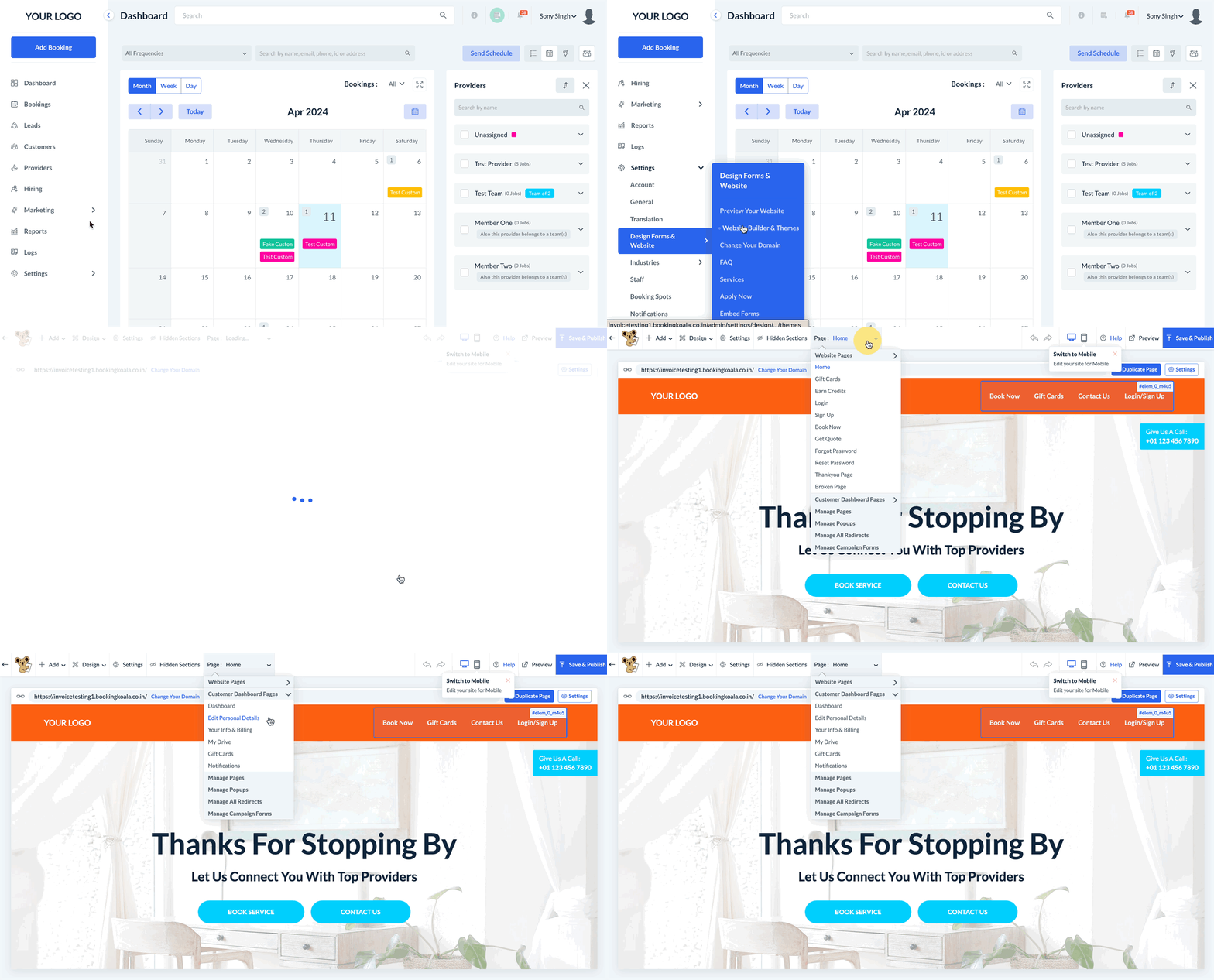
Next, click on the top center Pages menu and select the Customer Dashboard Pages option. The pages listed below this section represent the following areas of the customer profile:
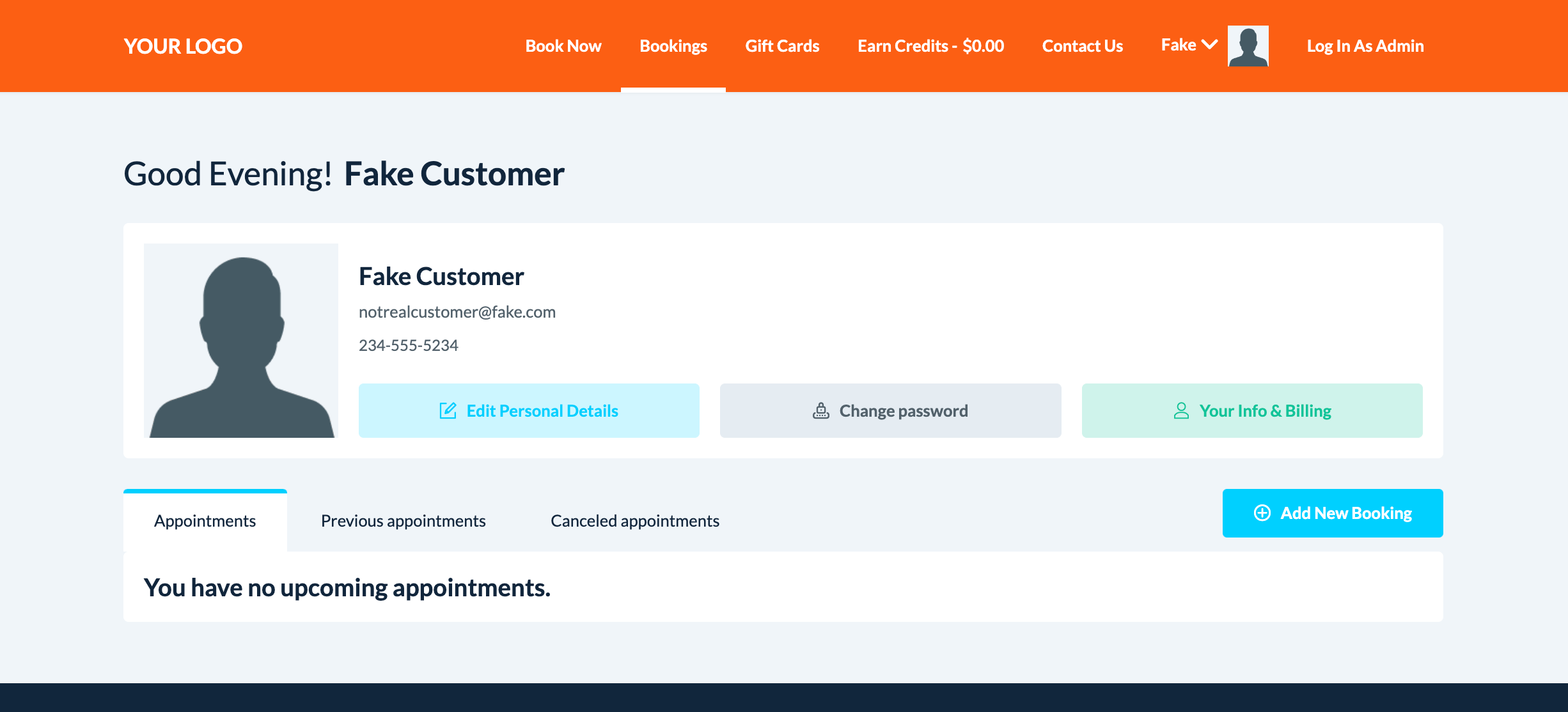
Dashboard - This page allows customers to view their upcoming and past appointments, edit their personal information, update their passwords, view and edit their billing information, and view declined payments for past bookings. Click here to learn how to edit the customers' Dashboard page.
Edit Personal Details - This page allows customers to add a profile photo, edit their name, edit/add email addresses, edit/add phone numbers, and add/edit other contacts for their profile. Click here to learn how to edit the customers' personal details page.
Your Info & Billing - This page allows customers to edit their addresses, add/edit their cards on file, and view/download invoices and receipts for their bookings and gift card purchases. Click here to learn how to edit the Your Info & Billing page for customers.
My Drive - If enabled, the customer My Drive page allows customers to view files uploaded to their drive and upload files to share with the merchant and staff. Click here to learn how to edit the customer My Drive page.
Gift Cards - This page displays all gift cards that have been sent and received by the customer. Click here to learn how to edit the customer Gift Cards page. Click here to learn how to edit the customer Gift Cards page.
Notifications - This page allows customers to enable or disable email and SMS notifications for their profile. Click here to learn how to edit the customer Notifications page.